
Scammers Are Finding New Ways to Reach You
Scams have become a part of everyday life. You might receive an email claiming your account has been compromised, a phone call from someone pretending to be from Microsoft, a Facebook message from a friend asking for money, or a text from a stranger offering an incredible investment opportunity.
You might even meet someone on a dating website who seems like the perfect match, only to discover that the person has been using a fake identity to steal your money.
Some scams are obvious. Others are carefully planned, professionally presented, and designed to look completely legitimate.
Today’s scammers use websites, email, phone calls, text messages, social media, dating applications, and artificial intelligence to deceive their victims. They may pretend to represent trusted companies, government agencies, financial institutions, technical support departments, romantic partners, or legitimate investment firms.
According to the Federal Trade Commission, consumers reported losing $2.1 billion to scams that started on social media in 2025. Facebook was the social media platform associated with the greatest reported losses. These figures reflect reported losses, so the actual impact may be greater. See the FTC’s findings on social media scams.
The important thing to understand is that anyone can become a target, regardless of age, education, technical experience, or financial situation.
At Wise I.T. Computer & Network Solutions, we believe technology should make life easier, safer, and more productive. Understanding how scams work is one of the most important steps you can take to protect your devices, your personal information, your money, and your business.
Let’s look at some of the most common scams, how to recognize them, and what you can do to protect yourself.
Fake Microsoft and Computer Technical Support Scams
This scam is especially important for anyone who uses a Windows computer.
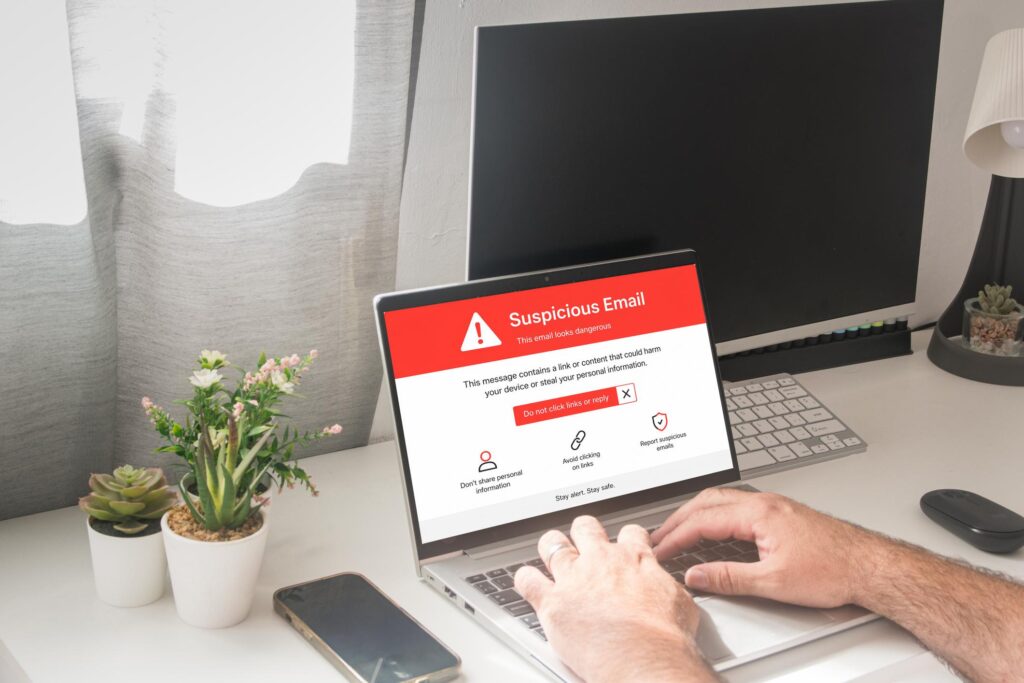
You are browsing the internet when a warning suddenly appears on your screen. It might claim that your computer is infected, your personal information is at risk, or Microsoft has detected suspicious activity.
The warning may include a loud alarm, flashing graphics, or a phone number instructing you to call technical support immediately.
The message looks alarming, but it may be completely fake.
How the Scam Works
A scammer may tell you that your computer has a dangerous virus and that they need to access it remotely to fix the problem.
They may instruct you to install remote-access software, open certain settings, or provide access to your computer.
Once connected, the scammer might:
- Pretend to discover nonexistent computer infections.
- Claim your banking information has been compromised.
- Attempt to access personal files, email, or financial accounts.
- Install unwanted software.
- Charge you for unnecessary services.
- Request payment through gift cards, cryptocurrency, or other difficult-to-reverse methods.
Some criminals go further by pretending to issue refunds or reimbursements. They may manipulate what appears on your screen to convince you that they accidentally sent you too much money, then pressure you to return the supposed excess.
Does Microsoft Actually Call You About Computer Problems?
Microsoft does not proactively contact you to provide unsolicited technical support.
Genuine Windows error messages also do not display a telephone number for you to call to fix an infection.
If a pop-up claims that your computer is locked and instructs you to call a support number, do not call it.
Instead:
- Do not call the displayed number.
- Do not give the caller remote access to your computer.
- Do not share passwords, banking information, or security codes.
- Close the browser tab or window if possible.
- If the browser appears frozen, use your normal operating system controls to close it or restart the computer.
- If you already granted access, disconnect the device from the network and seek help from a trusted IT professional.
Learn more from Microsoft’s official guide to avoiding technical support scams.
Phone Call Scams and Caller ID Spoofing
Scammers don’t always rely on email or the internet. Sometimes, they simply pick up the phone.
A call may appear to come from your bank, a government agency, a computer support company, or even a local telephone number.
Criminals can manipulate caller ID information to make an incoming call appear more trustworthy.
Common Phone Scams
Fake bank fraud department
Someone claims to be from your bank and says suspicious transactions have been detected. They ask you to confirm your account information or provide a verification code.
Government impersonation
A caller claims to represent the IRS, Social Security Administration, law enforcement, or another government agency. They may threaten arrest, fines, or other consequences unless you pay immediately.
Fake Microsoft support
The caller claims that your computer has a virus or that your Microsoft account has been compromised.
Family emergency scams
Someone claims that a relative is in trouble and urgently needs money. In some versions, criminals use artificial intelligence to imitate a family member’s voice.
Fake business or utility calls
A caller threatens to disconnect your internet, electricity, or business phone service unless you make an immediate payment.
How to Protect Yourself
Never assume a call is legitimate simply because the caller knows your name or because your phone displays a familiar number.
If someone claims to represent a bank, government agency, or service provider:
- Hang up.
- Find the organization’s official phone number independently.
- Call that number yourself.
- Never provide a verification code to someone who calls you unexpectedly.
- Never make a payment simply because a caller threatens immediate consequences.
If a caller claims a family member is in danger, contact that person or another trusted relative using a phone number you already know.
You can always hang up and verify the situation independently. A legitimate organization should not require you to bypass basic security precautions.
Text Message Scams and the Dangerous Wrong-Number Message

Have you ever received a text that says something like this?
“Hi, are we still meeting for lunch tomorrow?”
Or perhaps:
“Hello, I think I have the wrong number, but you seem like a nice person.”
Although some messages genuinely go to the wrong person, others are the beginning of a carefully planned scam.
How Wrong-Number Scams Work
A scammer sends a friendly message to a random phone number. If you respond, they may apologize and continue the conversation.
Over time, they might develop a friendship with you, ask personal questions, or introduce an investment opportunity.
The conversation may eventually move to WhatsApp or Telegram.
Once trust has been established, the scammer might encourage you to invest in cryptocurrency through a website or application they recommend.
The investment platform may display impressive profits, but the numbers can be entirely fabricated. When you try to withdraw your money, you may be told to pay additional taxes, verification fees, or account-release charges.
These scams can continue for weeks or months before the victim realizes what has happened.
What to Do With Unexpected Texts
- Do not click unfamiliar links.
- Do not download unexpected files.
- Avoid confirming personal information.
- Do not engage with suspicious messages.
- Block and report the sender when appropriate.
- Never invest money based on advice from a stranger who contacted you unexpectedly.
A seemingly harmless conversation can be the first step in a much larger fraud.
Facebook Scams: Fake Profiles, Marketplace Fraud, and Account Takeovers

Facebook connects friends, families, communities, and businesses. Unfortunately, scammers also use it to reach potential victims.
A profile may appear genuine, complete with photographs, friends, posts, and personal details. That does not guarantee the person is who they claim to be.
Common Facebook Scams
Fake friend requests
A criminal creates a duplicate profile using another person’s name and photographs. They send friend requests to that person’s existing contacts.
After gaining access to a victim’s social circle, the scammer may ask friends for money or send fraudulent links.
Hacked friend accounts
A real person’s account is compromised. The criminal then sends messages from that account, making the requests seem more believable.
Facebook Marketplace scams
A seller advertises a product at an unusually low price but asks for payment before the item is delivered.
In other cases, a fraudulent buyer sends a fake payment confirmation, claims to have overpaid, or asks the seller to refund money that was never received.
Fake giveaways and prizes
A post claims you have won a prize and asks you to click a link, provide personal information, or pay a fee to claim it.
Fraudulent investment advertisements
An advertisement promises guaranteed returns, easy profits, or access to an exclusive investment opportunity.
The advertisement may use stolen photographs, fabricated testimonials, or the name of a legitimate company.
Impersonation of businesses
A scammer creates a page that resembles a real company’s page and uses it to advertise fake discounts, collect payments, or steal login information.
How to Stay Safe on Facebook
Before accepting a suspicious friend request, check whether you are already connected to that person.
If a friend suddenly asks for money, contact them by phone or another trusted method to verify the request.
When buying or selling on Marketplace, be cautious of unusual payment arrangements, fake payment notifications, pressure to ship items before payment is confirmed, and requests for verification codes.
Avoid clicking links in unexpected messages, even if they appear to come from someone you know.
If a friend’s account appears compromised, contact the person through another channel and report the suspicious account or message to Facebook.
WhatsApp and Telegram Scams
WhatsApp and Telegram are popular messaging applications used by families, friends, businesses, and online communities.
Scammers use these same platforms to contact strangers, impersonate people, distribute fraudulent investment advice, and coordinate financial fraud.
Moving a conversation to another messaging application is not automatically suspicious. However, be cautious when someone you barely know insists on moving the conversation to a private messaging platform and then starts discussing money.
WhatsApp Scams
Common examples include:
- A scammer impersonates your child, parent, or another family member and claims to have a new phone number.
- Someone pretends to be a friend who urgently needs financial assistance.
- A stranger offers a job that requires you to pay money upfront.
- A supposed investment expert offers to help you earn money through cryptocurrency.
- A scammer asks you to share a verification code to gain access to your account.
- A message contains a suspicious link that leads to a fraudulent website.
One common variation involves a message claiming to be from a family member whose phone has been lost or damaged.
The person says they cannot access their bank account and urgently needs you to send money.
Before doing anything, call the family member using a number you already have. Do not rely exclusively on the new number provided in the message.
Telegram Scams
Telegram is frequently used to organize investment groups, distribute fraudulent trading recommendations, and impersonate cryptocurrency services.
A group may contain dozens or hundreds of apparent investors discussing their profits.
Some members may actually be scammers working together to make the opportunity appear legitimate.
Common tactics include:
- Fake cryptocurrency investment groups.
- Impersonation of well-known traders.
- Promises of guaranteed investment returns.
- Fake customer support accounts.
- Fraudulent cryptocurrency giveaways.
- Requests for wallet recovery phrases or private keys.
- Fake job offers that require an initial deposit.
- Links to fraudulent trading platforms.
A group with many members, positive reviews, and impressive profit screenshots is not proof that an investment is legitimate.
The testimonials may be fabricated, and the other participants may be working with the scammer.
Never Share These Details
Whether you use WhatsApp, Telegram, or another messaging application, never share your account verification codes, passwords, cryptocurrency wallet recovery phrases, or private keys with someone who contacts you unexpectedly.
Enable two-step verification where available, keep your applications updated, and verify unexpected requests through a separate trusted channel.
Romance Scams: When Someone Uses Your Feelings Against You
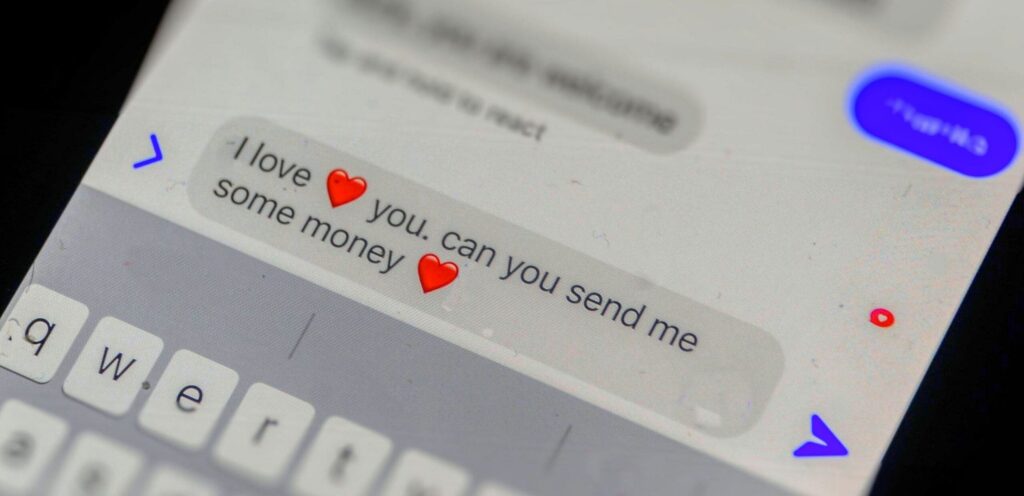
Romance scams can be especially devastating because they exploit something deeply personal: trust, affection, and the desire for companionship.
A scammer may contact you through Facebook, Instagram, a dating application, or another online community.
They create a convincing identity and spend time building a relationship with you.
They may send affectionate messages every day, discuss their future plans, and make you feel as though you have finally met someone who understands you.
Eventually, the requests for money begin.
Common Romance Scam Stories
The person may claim:
- They need money for an emergency medical procedure.
- They need help paying for a plane ticket to visit you.
- Their bank account is temporarily inaccessible.
- They are working overseas and need money to resolve a problem.
- They need assistance with customs fees, legal expenses, or travel documents.
- They have an investment opportunity that could benefit both of you.
Some scammers combine romance with cryptocurrency fraud. After developing a relationship, they encourage their victim to invest through a website or application they control.
The victim may initially see apparent profits and become comfortable investing larger amounts.
Eventually, the platform may prevent withdrawals and demand additional payments.
Dating Websites and Apps Where Scams Can Occur
Romance fraud and fake profiles have been reported across many types of dating services.
The following are examples of established platforms where users should remain alert to potential scams. Their inclusion does not mean these services are fraudulent or that they have higher scam rates than other platforms.
Match.com
Match is a well-known dating service. As with other platforms, scammers may use fake profiles to establish relationships before requesting money for emergencies, travel, or other expenses.
Official website: https://www.match.com/
Tinder
Tinder connects people through profiles and matching. Users may encounter fake profiles, impersonation, suspicious links, or individuals who try to introduce cryptocurrency investments.
Be particularly cautious if a match quickly asks you to communicate elsewhere and then starts promoting an investment opportunity.
Official website: https://tinder.com/
Bumble
Bumble is an established dating platform where users should remain alert to suspicious financial requests and attempts to direct conversations toward fraudulent investments.
Official website: https://bumble.com/
Plenty of Fish
Plenty of Fish, also known as POF, is another established dating service. As on other dating platforms, scammers may attempt to create fake profiles, impersonate other people, or manipulate users into sending money.
Official website: https://www.pof.com/
OkCupid
OkCupid allows users to connect through profiles and personal preferences. However, a detailed profile and seemingly compatible interests do not guarantee that someone is who they claim to be.
Scammers may use fabricated personal information, stolen photographs, or carefully prepared conversations to establish trust.
Official website: https://www.okcupid.com/
Hinge
Hinge is designed to help people form relationships, but users should still watch for suspicious behavior.
A scammer might attempt to move a conversation away from the platform, create a false sense of intimacy, and eventually introduce an emergency requiring money or an investment opportunity promising unusually high returns.
Official website: https://hinge.co/
Facebook Dating
Facebook Dating provides dating features within Facebook. As with other social platforms, users should be alert to impersonation, suspicious requests, and attempts to move conversations into private messaging channels.
Official website: https://www.facebook.com/dating/
Other Dating Websites and Apps
Scams can also occur on niche dating sites, international dating services, and platforms aimed at specific age groups or communities.
Do not assume that a smaller or less familiar service is automatically unsafe. Instead, evaluate the person’s behavior, verify identities where possible, and be cautious about financial requests.
How a Dating App Scam Typically Develops
Many romance scams follow a recognizable pattern.
Stage 1: The Initial Connection
You match with someone whose photographs, interests, and profile seem appealing. They may appear friendly, attentive, and genuinely interested in getting to know you.
Stage 2: Building Trust
The person sends frequent messages and may quickly express strong affection. They might discuss marriage, travel plans, or a future together before you have met in person.
Stage 3: Moving to Another Platform
They suggest moving the conversation to WhatsApp, Telegram, text messaging, or another private channel.
Moving platforms is not proof of fraud, but it can make it easier for scammers to continue communicating if their original profile is reported or suspended.
Stage 4: Introducing a Problem or Opportunity
The person claims to have a medical emergency, travel difficulty, temporary financial problem, or another reason they need money.
Alternatively, they introduce a cryptocurrency investment, trading platform, or business opportunity that supposedly helped them become financially successful.
Stage 5: Asking for Money
They request a loan, gift cards, cryptocurrency, banking assistance, or a transfer to another account.
In investment scams, the person may direct you to a fake website that displays fabricated profits to persuade you to deposit more money.
Stage 6: Increasing the Pressure
If you hesitate, they may become emotional, claim that you do not trust them, or insist that an urgent opportunity will disappear.
If you send money, additional requests may follow. Eventually, the person may disappear or continue demanding payments.
Warning Signs of a Fake Dating Profile
Be cautious if someone you meet on a dating platform:
- Claims to love you after an unusually short period.
- Refuses to meet in person or repeatedly avoids live video conversations.
- Provides inconsistent details about their identity, employment, or location.
- Quickly asks to move the conversation to WhatsApp or Telegram.
- Requests money for travel, medical bills, emergencies, or other expenses.
- Introduces cryptocurrency investments or claims to have a guaranteed trading strategy.
- Asks you to purchase gift cards or transfer cryptocurrency.
- Pressures you to keep the relationship secret.
- Requests personal information, banking details, or account verification codes.
- Sends suspicious links or asks you to install unfamiliar applications.
No single behavior conclusively proves that someone is a scammer. However, financial requests, investment pressure, and repeated attempts to prevent independent verification should be treated as serious warning signs.
Can Reverse Image Searches Help?
Scammers sometimes use stolen photographs of models, professionals, military personnel, or ordinary people to create convincing dating profiles.
A reverse image search may help reveal whether a photograph appears under different names or on unrelated websites.
However, a search that finds no matches does not establish that the person is genuine. Scammers can use newly generated images, altered photographs, or images that have not been indexed.
You can also ask reasonable questions about the person’s identity and arrange a live video conversation. Even then, remember that modern AI tools can sometimes manipulate images and voices.
Do not rely on photographs or video alone when money is involved.
What If Someone You Met on a Dating Site Asks for Cryptocurrency?
Treat this as a major warning sign.
A common scam involves a person who claims to be romantically interested in you and gradually introduces cryptocurrency trading.
They may recommend a specific exchange or investment website, show you screenshots of their profits, or offer to teach you how to make money.
The website may be fraudulent, and the displayed account balance may be entirely fabricated.
Some victims are initially allowed to withdraw a small amount of money. This can create a false sense of security and encourage them to invest much larger sums.
When they attempt to withdraw their funds later, the platform may demand additional payments for taxes, fees, or account verification.
Never invest money based on financial advice from someone whose identity and qualifications you have not independently verified, especially when that person is also pursuing a romantic relationship with you.
What Should You Do If You Suspect a Dating Scam?
- Stop sending money and do not disclose additional personal information.
- Save relevant messages, profile details, photographs, and payment records.
- Report the profile to the dating platform.
- Block the account if appropriate.
- If you sent money, contact your bank or payment provider immediately.
- If you shared passwords, change them and secure any affected accounts.
- Report the fraud to the Federal Trade Commission.
- If the scam involved online financial fraud, consider filing a report with the FBI’s Internet Crime Complaint Center.
Be cautious of anyone who subsequently contacts you claiming they can recover your lost money for an upfront fee. Recovery scams frequently target people who have already lost money to fraud.
Protect Your Heart and Your Wallet
There is nothing wrong with meeting people online, building relationships, or looking for companionship.
The key is to maintain reasonable boundaries and never allow emotional pressure to override financial judgment.
A genuine relationship should not require you to send cryptocurrency, pay unexpected fees, share your passwords, or invest your savings through a website recommended by someone you have never independently verified.
If someone you met online asks for money, pause and talk to a trusted friend or family member before doing anything.
Trust should be built over time, and financial decisions should always be made independently of romantic pressure.
For more information, read the FTC’s guide to romance scams.
Cryptocurrency Scams: Bitcoin, Fake Exchanges, and Guaranteed Profits

Cryptocurrency scams can result in substantial financial losses, and transactions may be difficult or impossible to reverse.
Scammers take advantage of the complexity of digital assets and the excitement surrounding new investment opportunities.
They may promise quick profits, claim to have insider information, or advertise trading systems that supposedly generate consistent returns.
Common Cryptocurrency Scams
Fake investment platforms
A scammer directs you to a website or application that looks like a legitimate cryptocurrency exchange.
The platform displays account balances and profits that may not reflect real assets.
When you attempt to withdraw your money, the scammer demands additional payments or simply stops responding.
Guaranteed returns
An online advertisement promises to double your cryptocurrency or deliver guaranteed daily profits.
Legitimate investments involve risk. Promises of guaranteed, unusually high returns are a major warning sign.
Fake cryptocurrency giveaways
A post claims that a celebrity, investor, or cryptocurrency company will multiply any cryptocurrency you send.
You transfer funds to participate, but the promised payment never arrives.
Wallet recovery scams
Someone claims they can recover stolen cryptocurrency for a fee.
Instead of recovering your money, they may demand additional payments or steal sensitive wallet information.
Fake cryptocurrency support
A person claiming to represent a wallet provider or exchange asks for your recovery phrase, private key, or remote access to your device.
Sharing these details can allow the criminal to take control of your assets.
Pig-butchering scams
This type of fraud often begins with an unexpected message or an online relationship. The scammer builds trust over time and eventually introduces a supposedly profitable cryptocurrency investment.
The victim may initially be allowed to withdraw a small amount to create confidence. After larger deposits are made, withdrawals stop and the scammer demands more money.
How to Protect Your Cryptocurrency
- Never invest based solely on advice from someone you met online.
- Research investment platforms independently.
- Do not trust screenshots of profits as proof of legitimate trading.
- Never share your wallet recovery phrase or private keys.
- Avoid investment opportunities promising guaranteed returns.
- Do not pay additional money to unlock supposed profits without independently verifying the situation.
- Be extremely cautious about anyone promising to recover stolen cryptocurrency for an upfront fee.
Remember that a legitimate-looking website or mobile application is not proof that an investment is genuine.
The FBI provides additional information about cryptocurrency investment fraud.
Fake Job Offers and Work-From-Home Scams

Remote work has created legitimate opportunities for people to work from home. Unfortunately, scammers also use fake job advertisements to target people looking for employment.
You might receive a text message offering a flexible part-time job with excellent pay and minimal experience requirements.
The recruiter asks you to move the conversation to WhatsApp or Telegram.
After a brief conversation, they offer you a position.
Then comes the catch: you must deposit your own money to complete tasks, activate an account, or unlock your earnings.
Common Job Scam Tactics
Task scams: You are asked to perform simple online activities, such as rating products or clicking buttons. The platform may show fake earnings but require deposits before you can withdraw them.
Fake equipment purchases: A supposed employer sends a check and asks you to purchase equipment from a designated vendor. The check later proves fraudulent.
Upfront fees: You are told to pay for training, registration, or access to a job before you can begin earning money.
Cryptocurrency deposits: A recruiter tells you to deposit cryptocurrency to complete work assignments or receive your salary.
Identity theft: A fake employer asks for sensitive personal information before you have verified the company and the legitimacy of the hiring process.
How to Recognize a Fake Job
Be suspicious of jobs that offer unusually high pay for very little work, require you to deposit money to earn money, or ask you to purchase equipment using funds from a check they sent you.
Verify job openings through the employer’s official website. Contact the company using independently verified contact information.
A real job should not require you to send cryptocurrency to unlock your wages.
Shopping Scams and Fake Online Stores

Not every scam involves a phone call or a personal relationship. Some simply look like great deals.
A social media advertisement offers a laptop, smartphone, television, or another popular product at a fraction of its normal price.
The website looks professional, and the product photographs appear authentic.
You place an order and provide your payment information.
The item never arrives, or you receive something completely different from what you ordered.
In other cases, the website may be designed primarily to collect payment information or personal details.
Signs of a Fake Online Store
- Prices are dramatically lower than those offered by established retailers.
- The website has little verifiable information about the business.
- Contact details are missing or suspicious.
- The return and refund policies are vague or copied from another website.
- The seller pressures you to pay through an unusual method.
- Online reviews appear repetitive, fabricated, or unrelated to the product.
- The website uses a domain name that closely resembles a legitimate retailer.
A website displaying a padlock or using HTTPS does not automatically mean the seller is trustworthy. It indicates that the connection is encrypted, not that the business is legitimate.
Before purchasing, search for the store’s name alongside terms such as “scam,” “complaint,” or “reviews.”
Use a credit card when practical because it may offer dispute protections. Avoid sellers who insist on gift cards, cryptocurrency, or other difficult-to-reverse payment methods.
Mobile App Scams and Fake Applications

Smartphones have become essential tools for banking, shopping, communication, and entertainment.
However, fraudulent applications can put your personal information and finances at risk.
Some malicious apps imitate legitimate services. Others advertise features they do not provide or request permissions that are unnecessary for their stated purpose.
Common Mobile App Scams
Fake banking or financial apps
An application imitates a financial service and attempts to collect login credentials or personal information.
Fake cryptocurrency wallets
A fraudulent application claims to provide a secure wallet but may steal funds or sensitive recovery information.
Malicious utility apps
An application claims to clean your phone, remove viruses, improve performance, or provide security features while collecting unnecessary data or displaying deceptive advertisements.
Subscription traps
An app advertises a free trial but makes cancellation difficult or hides recurring charges in its terms.
Fake customer support apps
A scammer directs you to install an application that supposedly provides technical support but instead requests excessive permissions or access to your device.
How to Stay Safe
Download applications from official app stores or the verified developer’s website.
However, remember that an application appearing in an official store is not an absolute guarantee that it is safe.
Before installing an app:
- Check the developer’s name.
- Review recent ratings and complaints.
- Examine the requested permissions.
- Be cautious of applications requesting unnecessary access.
- Keep your operating system and applications updated.
- Remove applications you no longer use.
- Never install an application at the direction of an unsolicited caller claiming your device is infected.
If someone asks you to install remote-access software so they can fix a problem you never reported, stop and verify the request independently.
AI Voice Cloning, Deepfakes, and Impersonation Scams

Artificial intelligence has made it easier for criminals to create convincing messages, imitate voices, generate photographs, and produce realistic-looking videos.
A scammer may use information from publicly available social media posts to impersonate a family member, business executive, or trusted professional.
How AI-Powered Scams Work
Imagine receiving a phone call from someone who sounds exactly like your child.
The caller claims to have been in an accident or to be facing an emergency. They urgently need money and insist that you must not tell anyone.
The voice sounds familiar, and the situation feels frightening.
But the voice could be artificially generated or manipulated.
Businesses face similar risks. A criminal might impersonate an executive in an email or video call and instruct an employee to transfer funds or disclose confidential information.
How to Protect Yourself
Establish a family verification procedure for emergencies.
For example, agree to call a known family phone number or use a private verification phrase that is not posted online.
For businesses, establish clear procedures for approving payments, changing vendor banking information, and responding to urgent executive requests.
Never rely on a familiar voice, a photograph, or a video alone to verify a financial request.
When money or sensitive information is involved, verify the request through a separate trusted channel.
Gift Card Scams and Requests for Unusual Payments

One of the biggest warning signs of fraud is a demand for payment using gift cards.
A scammer may claim that you owe money for taxes, technical support, an overdue bill, or an emergency.
They instruct you to purchase gift cards and provide the card numbers and PINs.
Once the codes are shared, the money can be spent quickly.
Other criminals demand payment through cryptocurrency, wire transfers, or payment applications because these methods can make recovering the money more difficult.
Remember These Rules
- Government agencies do not require you to settle supposed debts with retail gift cards.
- A legitimate technical support provider should not demand gift card payments to remove a virus.
- Someone you met online should not require cryptocurrency to prove your love or friendship.
- An unexpected caller should never pressure you into transferring money immediately.
- Never pay a supposed fee to receive a prize you never entered to win.
If someone demands an unusual payment method and insists that you act immediately, stop and independently verify the situation.
How to Recognize Almost Any Scam
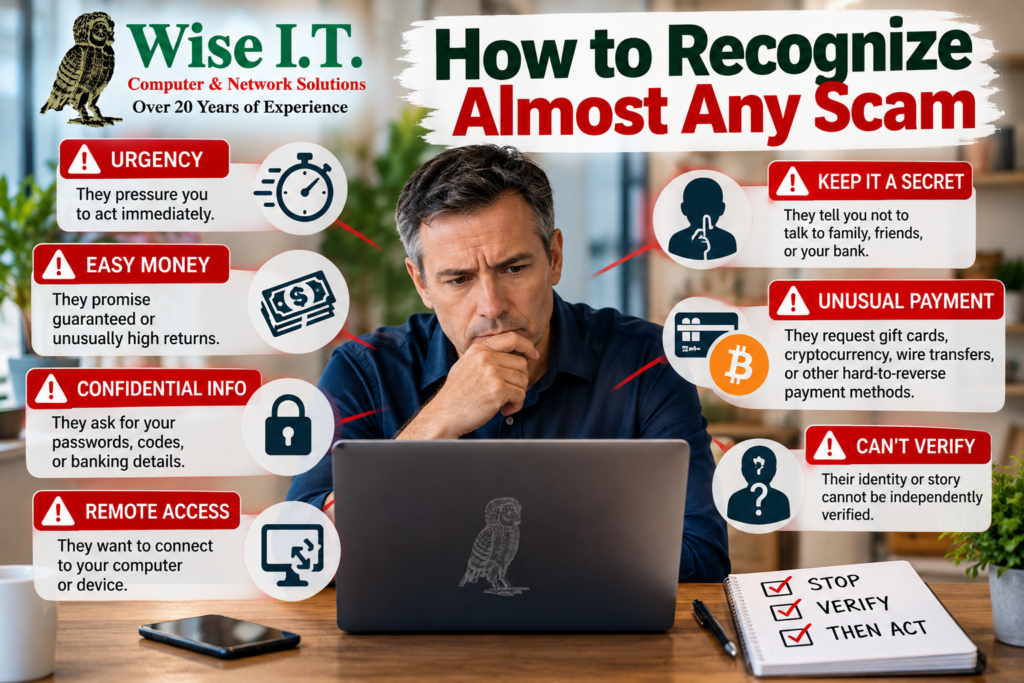
Although scams come in many forms, they frequently use the same psychological tactics.
Learning to recognize these patterns can help you identify fraud even when the specific scam is unfamiliar.
Red Flag #1: They Create Urgency
The scammer insists that you must act immediately.
Your account will be closed. Your computer will be disabled. Your relative is in danger. Your investment opportunity will disappear.
What to do: Pause. Urgency is not a reason to skip verification.
Red Flag #2: They Promise Easy Money
You are promised guaranteed profits, effortless income, or an investment that cannot lose.
What to do: Treat guaranteed, unusually high returns as a warning sign. Research the opportunity independently.
Red Flag #3: They Ask for Confidential Information
Someone requests your password, one-time security code, wallet recovery phrase, or banking credentials.
What to do: Do not provide the information. Contact the relevant company using its official contact details.
Red Flag #4: They Want You to Keep Secrets
The person tells you not to speak to your family, bank, IT department, or anyone else.
What to do: Talk to someone you trust. Scammers often try to isolate victims so that nobody can challenge their story.
Red Flag #5: They Want Payment You Cannot Easily Reverse
They insist on cryptocurrency, gift cards, wire transfers, or unusual payment arrangements.
What to do: Stop and independently verify the request before sending money.
Red Flag #6: They Want Remote Access to Your Computer
An unexpected caller tells you to install software so they can diagnose a supposed problem.
What to do: Do not grant access. Contact a trusted IT professional if you need help checking your computer.
Red Flag #7: Their Identity Cannot Be Independently Verified
The person may have a convincing profile, professional website, photographs, testimonials, or email signature.
What to do: Verify the person or organization using information obtained independently, not just the details they provide.
What to Do If You Think You Have Been Scammed
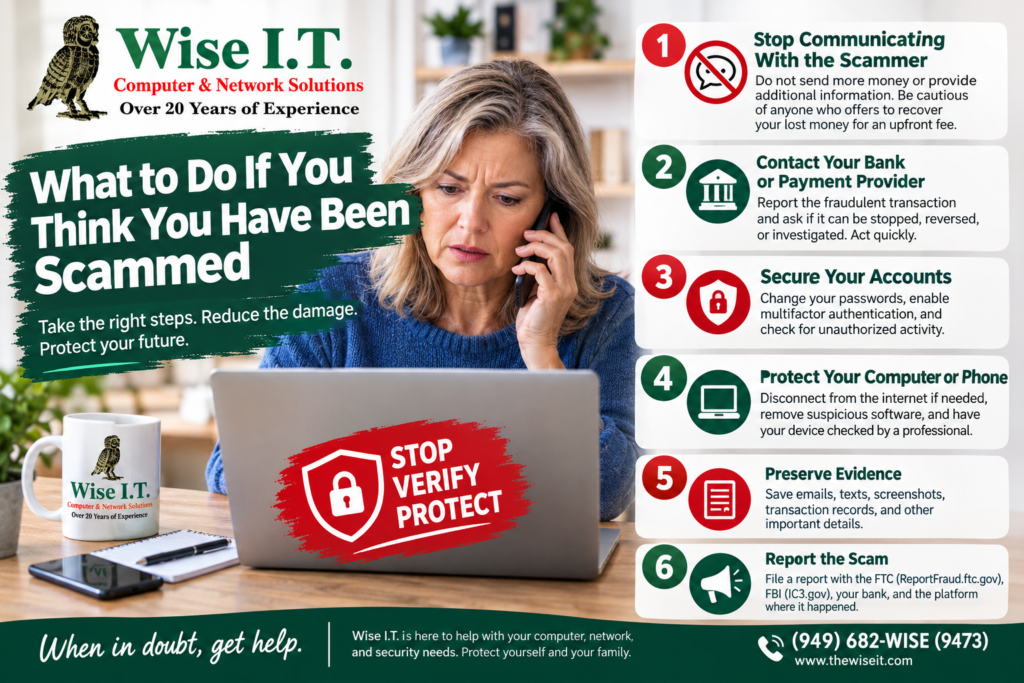
If you believe you have been targeted by a scam, do not panic. Acting quickly can sometimes prevent additional losses.
The appropriate response depends on what happened, but the following steps provide a useful starting point.
Step 1: Stop Communicating With the Scammer
Do not send additional money or provide more information.
Do not pay someone who promises to recover your lost money without carefully verifying their legitimacy. Recovery scams frequently target people who have already been victimized.
Step 2: Contact Your Bank or Payment Provider
If you sent money, contact the bank, credit card company, payment application, or cryptocurrency exchange involved.
Explain that the transaction may be fraudulent and ask whether it can be stopped, reversed, disputed, or otherwise investigated.
Act as quickly as possible. Recovery is not guaranteed.
Step 3: Secure Your Accounts
If you shared a password, change it immediately using a trusted device.
If you reused that password on other websites, change it there as well.
Enable multifactor authentication wherever possible.
If your email account was compromised, check for unauthorized forwarding rules, unfamiliar recovery information, and suspicious sign-ins.
Step 4: Protect Your Computer or Phone
If you installed software at a scammer’s request or gave someone remote access, disconnect the affected device from the internet if you suspect active unauthorized access.
Use a separate trusted device to change important passwords and contact your financial institutions.
Have the affected computer or phone checked by a qualified professional. Depending on what happened, further cleanup or a full device reset may be necessary.
Step 5: Preserve Evidence
Save relevant emails, text messages, phone numbers, transaction records, screenshots, website addresses, and usernames.
Do not delete important evidence before documenting it.
Step 6: Report the Scam
In the United States, these resources can help:
- Federal Trade Commission: Report consumer fraud at ReportFraud.ftc.gov.
- FBI Internet Crime Complaint Center: Report internet-related crime at IC3.gov.
- Your bank or payment provider: Report unauthorized or fraudulent transactions directly.
- The affected platform: Report suspicious accounts, messages, advertisements, and applications to the service where they appeared.
Reporting a scam does not guarantee that your money will be recovered, but it can help authorities and service providers identify patterns and investigate criminal activity.
Protecting Seniors and Families From Scams

Scammers target people of all ages, but older adults may face particular challenges when dealing with unfamiliar technology, fraudulent technical support messages, and financial impersonation schemes.
A person who is less comfortable with computers may not know whether a security warning is legitimate.
Someone who lives alone may be especially vulnerable to a scammer who spends weeks building a personal relationship.
Families can help by creating an environment where asking for assistance is encouraged rather than embarrassing.
Practical Ways to Help Protect Your Family
- Explain common scams without making anyone feel foolish for asking questions.
- Encourage family members to verify unexpected requests for money.
- Help configure privacy and security settings on social media accounts.
- Enable multifactor authentication on important accounts.
- Keep computers, smartphones, and applications updated.
- Make sure important files are backed up.
- Teach family members never to share passwords or verification codes with unexpected callers.
- Agree on a procedure for verifying emergency requests from relatives.
- Encourage people to ask for help before installing unfamiliar software or making an unusual payment.
Most importantly, remind family members that they can always pause, ask questions, and seek help before responding to a suspicious message.
Small Businesses Need Scam Prevention Too

Scams can affect more than individual consumers. Small businesses are also targets for criminals seeking access to company email, financial accounts, customer information, and computer networks.
An employee may receive an email that appears to come from the owner asking for an urgent payment.
A criminal may impersonate a vendor and request a change to banking information.
A fake Microsoft 365 notification may encourage an employee to enter company credentials on a fraudulent website.
If an attacker gains access to a business email account, they may use it to impersonate employees and contact customers or suppliers.
Practical Security Measures for Small Businesses
Train employees to recognize suspicious messages.
Employees should know how to identify suspicious links, unexpected attachments, unusual payment requests, and impersonation attempts.
Use multifactor authentication.
Protect business email, administrator accounts, financial services, and other critical systems with additional authentication.
Verify payment changes independently.
Always confirm changes to supplier banking information through a previously verified phone number or another trusted communication method.
Keep software updated.
Operating systems, applications, security tools, and network equipment should receive appropriate updates.
Maintain reliable backups.
Keep protected backups of important business data and periodically test whether the data can actually be restored.
Limit access to sensitive information.
Employees should have only the access they need to perform their jobs.
Establish an incident response plan.
Know whom to contact if a business account is compromised, a suspicious payment is sent, or a computer becomes infected.
For businesses without an in-house IT department, working with a trusted IT provider can help establish and maintain appropriate security practices.
A Simple Rule: Stop, Verify, Then Act
You do not need to become a cybersecurity expert to avoid many common scams.
You simply need to develop a few habits.
STOP: Do not immediately click the link, answer the request, send the money, or install the software.
VERIFY: Independently confirm the identity of the person or organization. Use an official website, a known phone number, or a separate trusted communication channel.
PROTECT: Keep your devices updated, use strong unique passwords, enable multifactor authentication, and maintain backups of important data.
REPORT: If you encounter fraud, report it to the appropriate organization and warn others when appropriate.
Remember that scammers constantly change their methods. A scam may begin with an email, continue through a phone call, and finish with a cryptocurrency transfer.
The platform may change, but the underlying tactics are often the same: create trust, trigger an emotional response, and persuade the victim to take an action that benefits the criminal.
How Wise I.T. Can Help You Stay Safer
Technology should help you work, communicate, and enjoy life without unnecessary frustration or risk.
At Wise I.T. Computer & Network Solutions, we help home users and businesses with computer support, network troubleshooting, security-related concerns, software issues, and other technology needs.
If you are concerned about a suspicious computer warning, unfamiliar software, a potentially compromised device, or the security of your home or business technology, getting assistance from a trusted IT professional can help you determine the appropriate next steps.
Our services include onsite and remote IT support for homes and businesses throughout Orange County, California.
We can help you address computer and network issues, improve your technology setup, and understand practical steps for protecting your devices and important data.
If you run a small business without an in-house IT department, we can also discuss your ongoing IT support and security needs.
Do not wait until a computer problem becomes a bigger headache. If something about your technology does not look right, ask for help.
Need Help With Your Computer or Network?
Contact Wise I.T. Computer & Network Solutions to discuss your technology concerns.
Wise I.T. Computer & Network Solutions
Serving Orange County, California, since 2008.
Onsite and remote IT support for homes and businesses.
Call: (949) 682-WISE (9473)
Website: https://thewiseit.com
Contact Wise I.T.: https://thewiseit.com/contact-us
Wise Solutions. Wise Prices.
Additional Scam Prevention Resources
The following official resources provide further information about recognizing, avoiding, and reporting scams.
- Federal Trade Commission: Scam Prevention
- Report Fraud to the FTC
- FBI Internet Crime Complaint Center
- Microsoft: Protect Yourself From Phishing
- Microsoft: Avoid and Report Technical Support Scams
- FTC: What to Know About Romance Scams
- FBI: Cryptocurrency Investment Fraud
Final Reminder: Scammers can be convincing, patient, and persistent. Whether a suspicious message comes from a stranger, a supposed romantic partner, a friend on Facebook, a technical support representative, or someone claiming to be your bank, take a moment to verify the situation before acting.
Protect your information. Protect your money. When in doubt, stop and ask for help.
The post Online Scams Are Everywhere: How to Recognize, Avoid, and Report Them first appeared on Wise I.T. Computer & Network Solutions.